Another digital sketch - with a favorite program of mine for getting stuff down fast: Sketchbook Pro 2. I saved this with the rough sketch layers on - kind of shows my working process of refining from a very loose shape to a tighter pencil line. Inspired by a college student I saw and drawn from memory.
Showing posts with label sketchbook pro 2. Show all posts
Showing posts with label sketchbook pro 2. Show all posts
Friday, January 01, 2010
10/06/09 - Digital - Sketchbook Pro 2

10/29/09 - Digital - Sketchbook Pro 2
Catching up on stuff from last year - this was inspired by two things: the clear bright light of autumn and trying to catch a sense of motion (leaves and paper blowing in the wind as the dog lunges). Not to say I did either of these concepts justice - only to document that they did move me.
12/02/09 - Digital - Sketchbook Pro 2
Here's a digital sketch from memory of a 1970's pinup. As time passes the models from 1970's and before just seem more aesthetically pleasing - before cosmetic surgery became so common.
Friday, May 30, 2008
05/30/08 - Digital - Photoshop, Sketchbook Pro and Painter
Some digital drawings from the last couple of months. Photoshop CS2 , Sketchbook Pro 2 and Painter X. These are all drawn without reference - just from memory and imagination.


Sunday, July 15, 2007
07/01/07 - Digital - Sketchbook Pro 2

This cashier from Home Depot was drawn from memory with a wacom intuous 3 in SketchbookPro 2. When I want to get something down in color quickly and easily this is the program I use.
If anyone ever wants to see the native files with layers and everything just leave me a comment on the particular post and I will add a link. Otherwise I will just post images as a jpg or gif.
Tuesday, October 10, 2006
08/29/06 - Digital - Sketchbook Pro 2
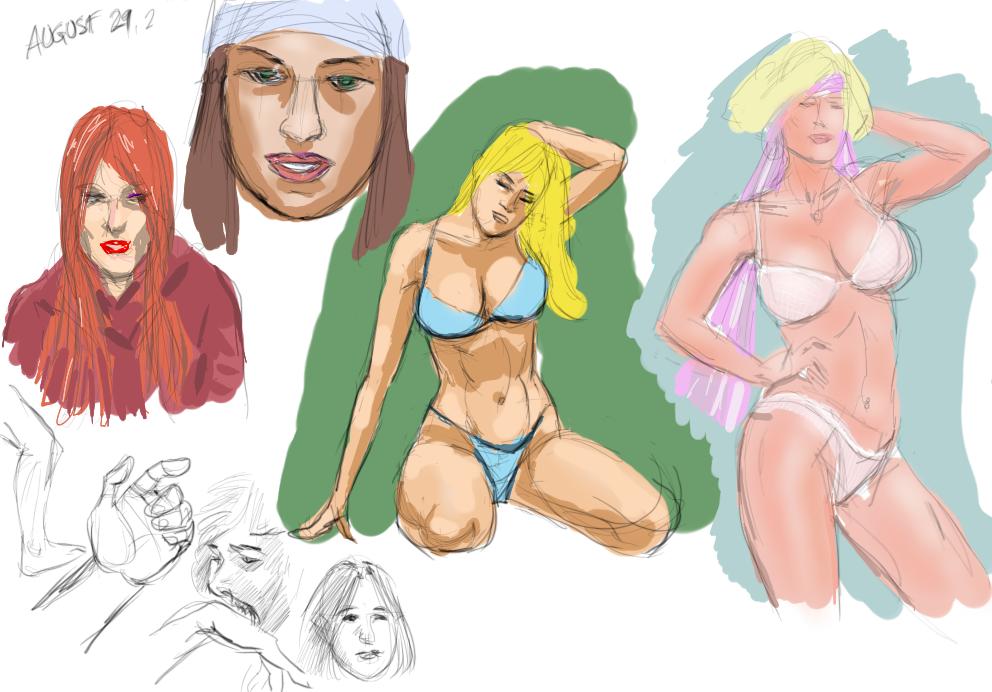
Digital piece from this August. Really just some small pencil sketches from my imagination that I colored. All done with Wacom Intuous 3 tablet and Alias/Autodesk Sketchbook Pro 2. I start with a 2B pencil for the sketch. Then create a new layer - swap the order - and start coloring flats with the wide brush. This is a really neat aspect of SKB2 - you can go right to coloring without worrying about layer blending mode - it just anticipates that is what you will be doing. There really aren't that many tutorials available for this program, perhaps because of it's simplicity? But the Autodesk site has some if you become a member (lower level membership is free!).
Look for SKB2 native source file here (.tiff) PS: this won't work in any program although it looks like a common tiff file!!
Monday, October 09, 2006
10/08/06 Digital - Sketchbook Pro 2

Well it's been a while longer than I mean since my last post...
Here is a recent piece (from imagination) I did in Alias' (now Autodesk's) Sketchbook Pro 2. I really like the feel of the default pencil tool for this application. SKP2 is not really made for highly refined pieces but it has a much easier interface to learn than Photoshop or Painter. The interface was designed so that you don't have have a keyboard - nice for tablet PC users. It is very intuitive and easy to go from your pencil sketch to a colored version. There is a really nice 15-non consecutive day trial available from the publisher - it's worth trying out!
Here's a link to the source file.
Subscribe to:
Posts (Atom)


 Posts
Posts

